One SwiftUI change, three redraws
A small ObservableObject surprise, a quick way to spot it, and four ways to respond.
Here is a SwiftUI surprise: change one @Published property and every view observing that object may redraw, even views that never read that property.
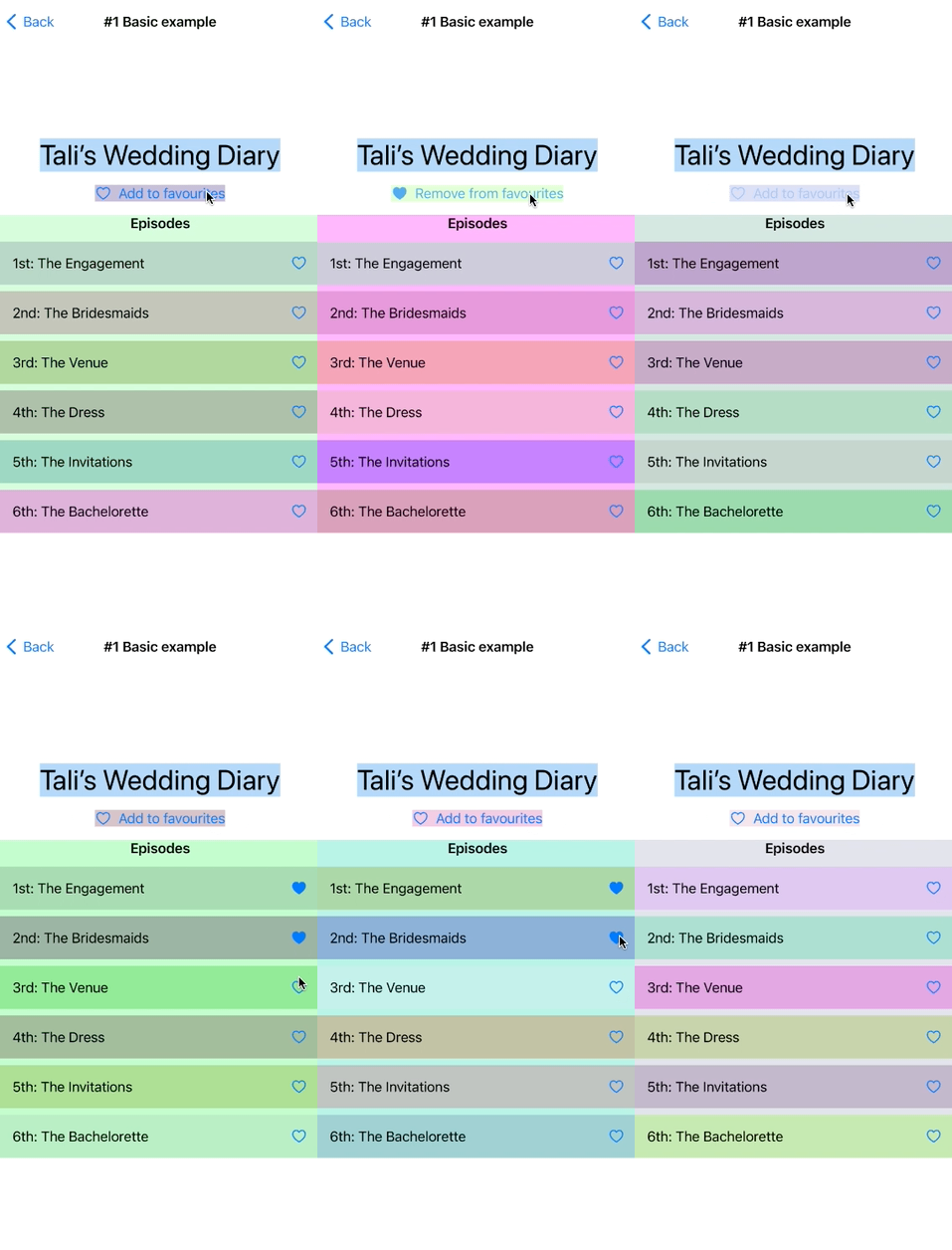
That is exactly what happened in this screen. Tapping the heart changed isMyFavourite, but the title and the entire episode list redrew too:
Using the Observation framework? Since iOS 17, the
@Observablemacro lets SwiftUI track the properties a view actually reads. This post describes the olderObservableObjectbehavior, which still matters in existing code and on older deployment targets. See Discover Observation in SwiftUI.
🔄 Why everything redraws
Imagine one model shared by three views:
final class SeriesModel: ObservableObject {
    @Published var title = "Tali's Wedding"
    @Published var isMyFavourite = false
    @Published var episodes: [Episode] = [...]
}
ObservableObject synthesizes one objectWillChange publisher for the whole object. Every observing view subscribes to that publisher, not to an individual property. Change the favorite flag and all three observers are invalidated.
That does not necessarily mean SwiftUI will rebuild every pixel on screen. It means SwiftUI reevaluates those view bodies so it can determine what changed.
🔍 How to spot it easily
Give the views random background colors while debugging. A new color makes each body evaluation obvious:
extension ShapeStyle where Self == Color {
    static var debug: Color {
        Color(
            red: .random(in: 0...1),
            green: .random(in: 0...1),
            blue: .random(in: 0...1)
        )
    }
}
Then add .background(.debug) to the views you want to watch. Self._printChanges() is useful when you would rather inspect the console.
🤔 Should you fix it?
Usually, no. A few extra body evaluations are often cheaper than a more fragmented data model. Profile first, especially when the screen has long lists, timers, older-device performance issues, or subscriptions that can trigger more work.
One dangerous case is side effects: if an onReceive creates a Combine or RxSwift subscription that starts an API request, an unexpected redraw can do more than update pixels.
🛠️ Four solutions
-
Do nothing. Keep the model easy to understand until Instruments shows a real problem. Complete example.
-
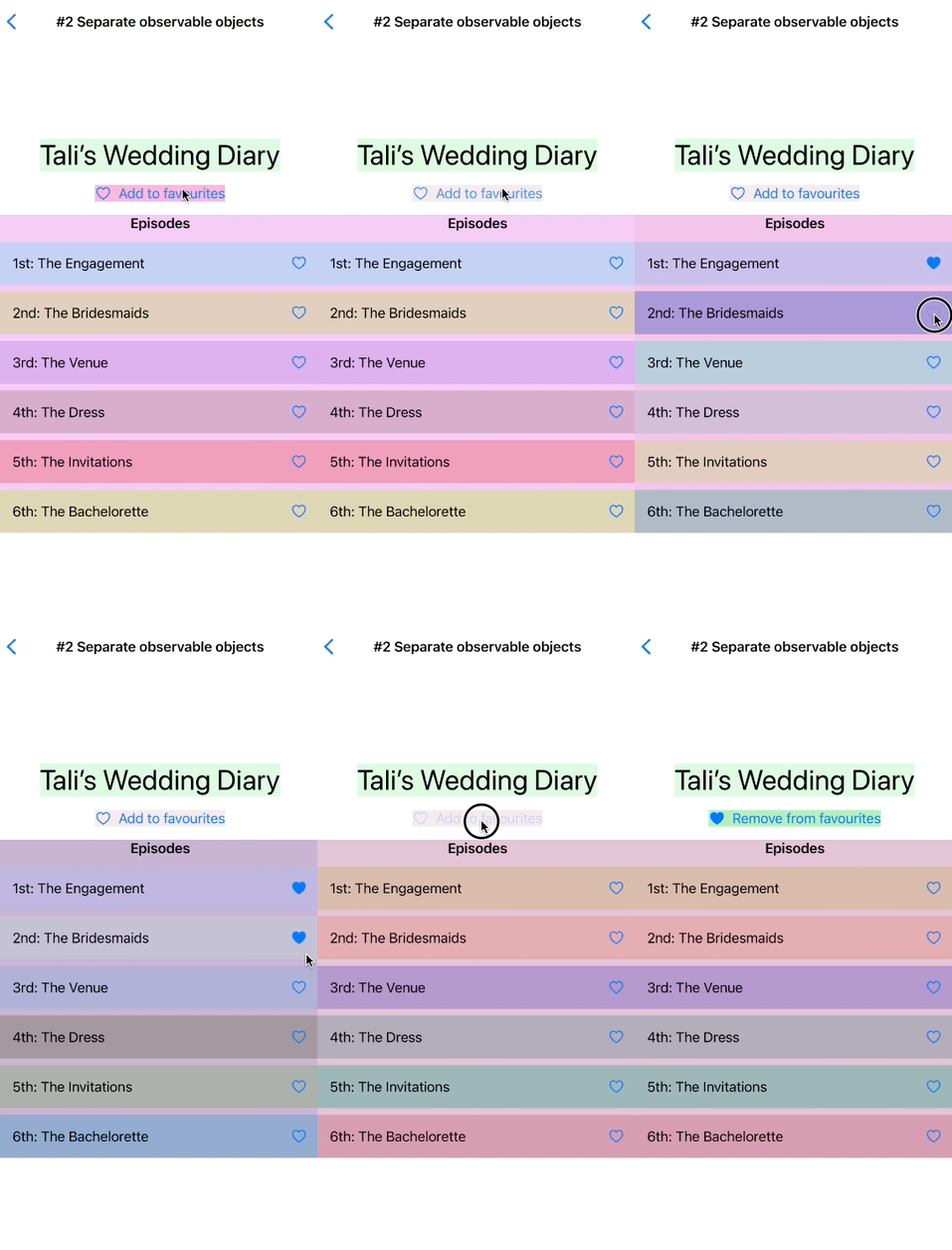
Split a large model. Give independently changing parts of the screen separate observable objects. We used one for the header and another for the episode list. Complete example.
-
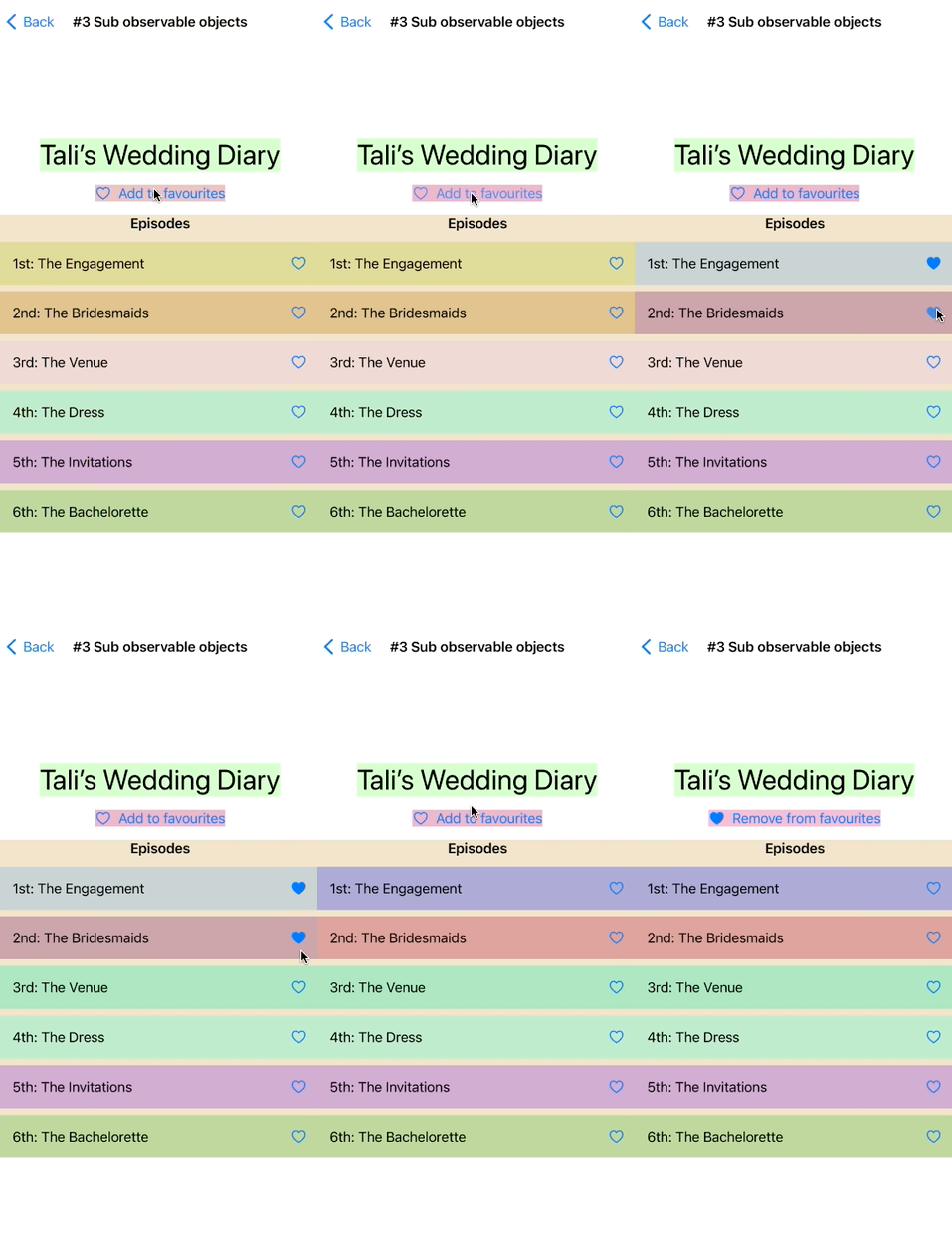
Give each list row its own observable model. Updating one episode’s download progress then redraws one row instead of the whole list. Complete examples.
-
Forward one publisher into local state. A
CurrentValueSubject,onReceive, and@Stategive precise control over which change invalidates the view. This also adds the most boilerplate, so reserve it for measured hot spots. Complete example.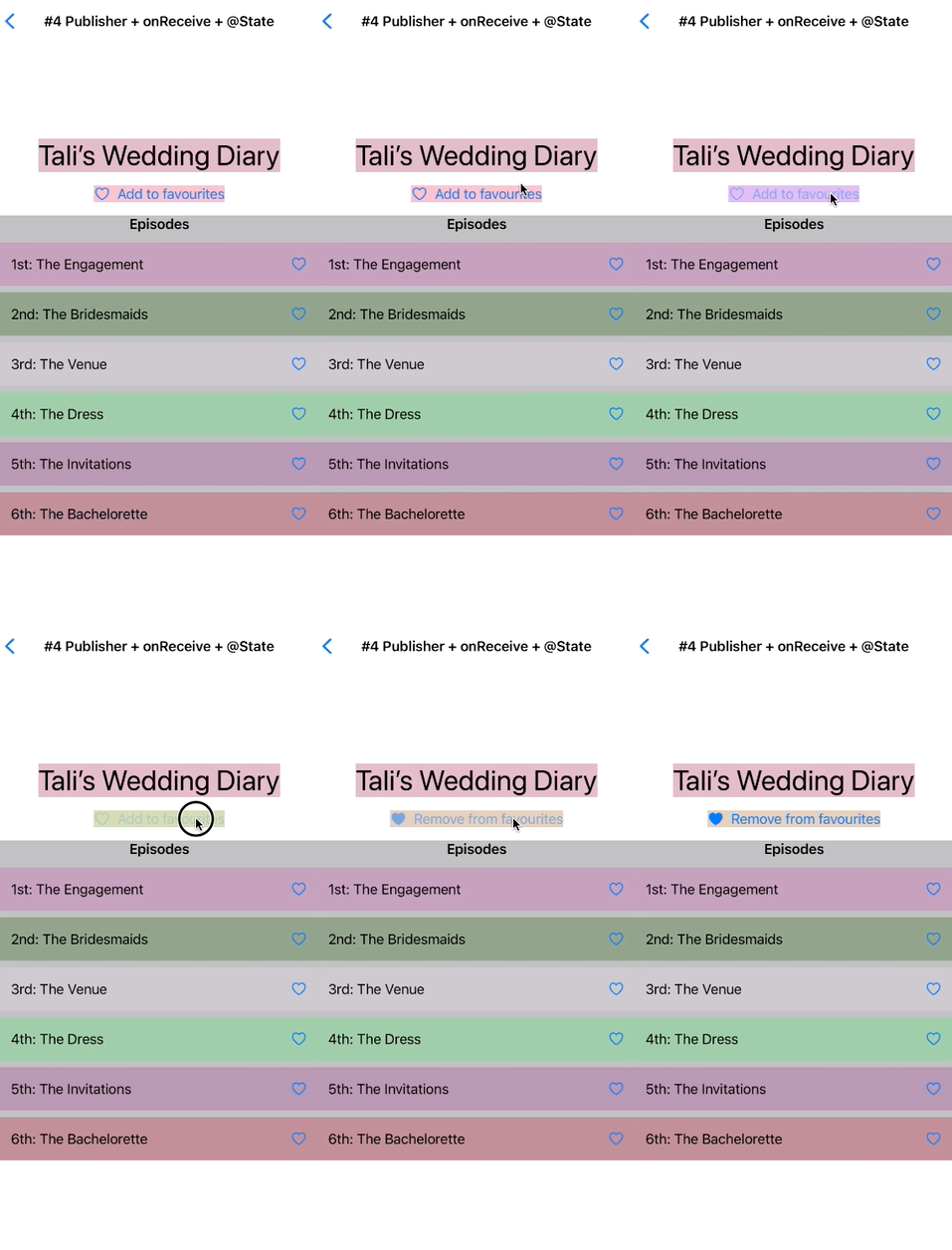
All four approaches are in the ios-swiftui-redraws repository.
💡 My rule of thumb
- On iOS 17 and above
- Use
@Observablemacro → No worries
- Use
- Below iOS 17
- Simle screen, no timer → No worries
- Side effects, complex lists, timers → Make separate observation